

- Get detailed metrics on API usage, errors, and performance
- Track API adoption and usage by individual consumers
- Log individual API requests, responses, and correlated application logs
- See what’s causing slow API requests with traces
- Monitor uptime and set up custom alerts
Requirements
Requires .NET 8+ and ASP.NET Core 8.x, 9.x, or 10.x.Create app
To get started, create a new app in the Apitally dashboard and select ASP.NET Core as your framework.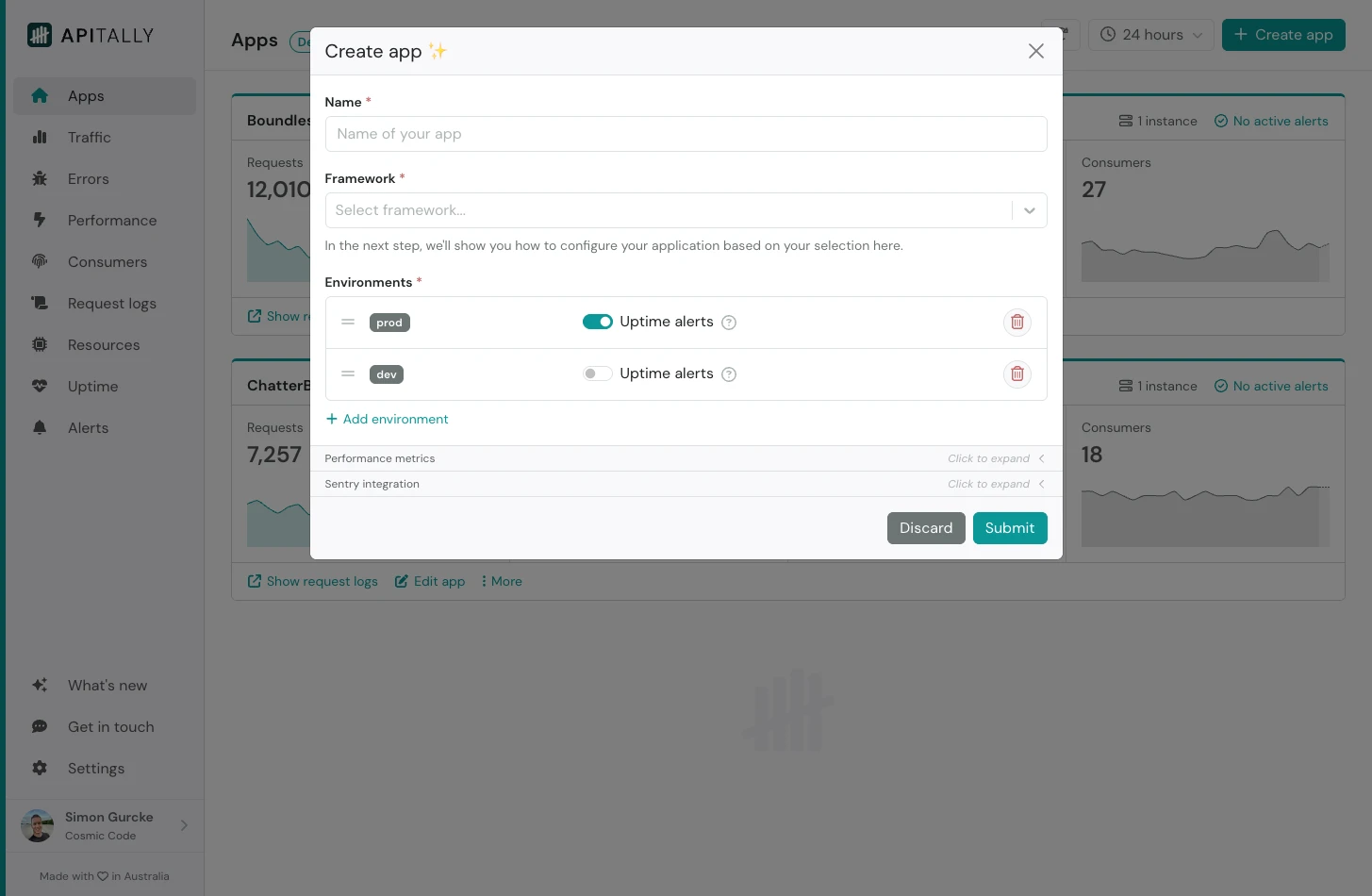 You can also configure the environments (e.g.
 prod and dev) for your app, or simply accept the defaults.
After submitting, you will see tailored setup instructions for your app. These include your write token and code snippets you can copy and paste into your project.
The write token (
apt_...) provided in the setup instructions uniquely identifies your app for the purpose of data ingestion only. It does not grant any kind of read access to your data.Install the SDK
Install the Apitally SDK as a dependency in your project.Initialize Apitally
CallAddApitally with the write token and other configuration options when registering services in your Program.cs file. You can also configure Apitally in your appsettings.json file.
Startup class, call services.AddApitally() in ConfigureServices.
The SDK uses the ASP.NET Core environment name (e.g. from ASPNETCORE_ENVIRONMENT) to determine the environment in Apitally. Production maps to prod and Development maps to dev, matching the default environments of your app. To use a different environment name, set the Env option or the APITALLY_ENV environment variable.
You can also set the APITALLY_WRITE_TOKEN environment variable instead of configuring WriteToken.
Deploy your application with these changes, or restart it if you’re testing locally.
The basic setup is now complete. Metrics and logs will start appearing in the Apitally
dashboard.
Identify consumers
Consumers are the users or applications calling your API. Identifying them lets you analyze and filter API traffic by consumer in Apitally. CallSetConsumer on the IApitally service during request handling to associate the current request with a consumer identifier. You can call it wherever the consumer is known, such as in a Minimal API handler, a controller action, existing middleware, or authentication code.
You can also provide a display name, group, and custom attributes for each consumer.
Capture headers and bodies
Only response headers are captured by default. You can opt in to capture request headers as well as request and response bodies when initializing Apitally.Mask sensitive information
The SDK automatically masks common sensitive query parameters, headers, and body fields. To mask additional data, pass regular expressions matching query parameter names, header names, or body field names toMaskQueryParams, MaskHeaders, or MaskBodyFields, respectively. Matching is case-insensitive.
MaskRequestBody and MaskResponseBody callbacks to mask individual fields or entire bodies using custom logic. Use MaskLogRecord to mask or drop application log records.
More information about masking is available here.
Sample requests
If your application receives a lot of traffic, you may want to sample requests to stay within your request logs quota. Metrics will continue to count every request regardless of sampling. UseSampleRate to capture logs and traces for a fraction of requests.
SampleOnRequest and SampleOnResponse callbacks to make sampling decisions using custom logic.
If your application has an existing OpenTelemetry setup, your tracer provider’s sampler also affects which request logs and traces Apitally captures.
More information about sampling is available here.
Instrument third-party libraries
Instrumenting third-party libraries adds details about database queries, HTTP calls to external services, and other operations to your request traces. This lets you see how these operations contribute to API response times.HttpClient and many other libraries, such as Npgsql, are traced automatically. Other libraries require OpenTelemetry instrumentation packages. For example, to trace database queries made with Microsoft.Data.SqlClient, install OpenTelemetry.Extensions.Hosting and OpenTelemetry.Instrumentation.SqlClient:
Program.cs file:
Program.cs
Existing OpenTelemetry setup
Apitally works alongside your existing OpenTelemetry instrumentation and exporters. If your application registers a tracer provider viaAddOpenTelemetry().WithTracing(...), Apitally automatically adds its span processor to it.
If you build a tracer provider separately with Sdk.CreateTracerProviderBuilder(), add the ASP.NET Core instrumentation and the Apitally source to it, and register it with dependency injection so the SDK can find it: